“It’s this bit.”
Now everyone can see it.
Add the widget to your website. Anyone can capture feedback, annotate a screenshot and follow their own report—without a Keep login.
A picture.
A point.
A next step.
Pick an element on the page or capture the view. Annotate the screenshot and describe the bug, idea, question or general feedback.
The report brings the page, browser details and available diagnostic context with it. Reporters can return to the widget to see their feedback and status in the same browser.
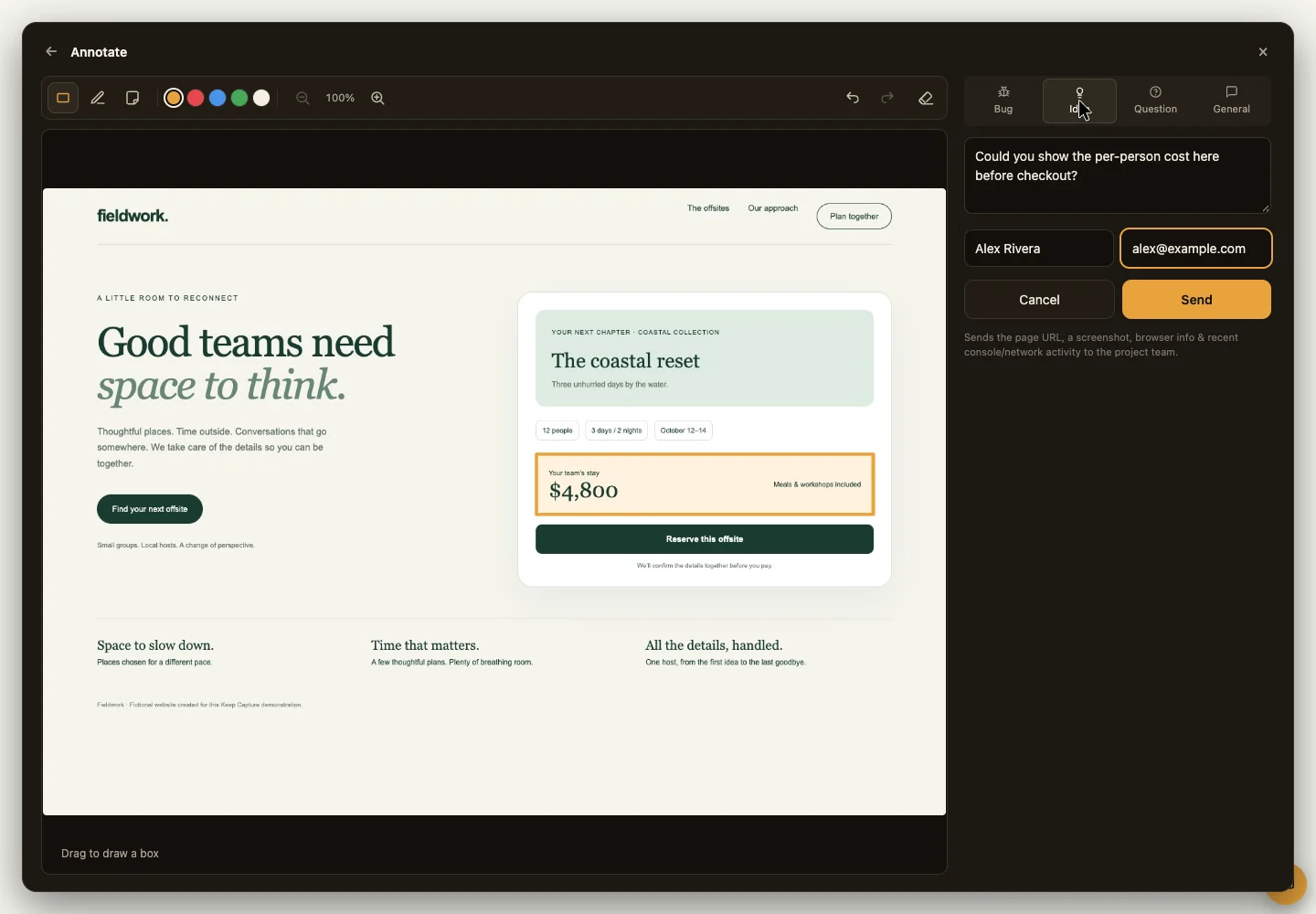
Read the walkthrough
The real Keep Capture annotation editor with a box around a price on a fictional booking website and an idea ready to submit.
- Open Keep Capture on the sample Fieldwork website.
- Select the price on the page, then draw a box on the screenshot.
- Describe an idea: show the per-person cost before checkout.
- Send it to the project and return to “Your feedback on this page” to see its status.
Recorded in Keep with sample data on a fictional website. Silent video.
Bring feedback into the project.
- In your Keep project, open Settings → Feedback widget and create a key.
- Add the Keep Capture script to your website with that project’s key.
- Let people capture and send feedback. Review it in Keep, then connect it to the requirement or task that follows.
Keep Capture · installation
<script
  src="https://hykeep.app/widget.js"
  data-keep-key="YOUR_PROJECT_KEY"
  async
></script>
Use the key from your project settings. The widget sends feedback to that project; it does not grant access to read its records.
Follow the response.
Open “Your feedback on this page” in the widget to revisit a submission and its status. Reporter history belongs to that browser; it does not expose private project records.
Feedback is its own record.
An observation isn’t always a task. Keep the original feedback, then connect the decision, requirement or fix that comes from it. The report and the response remain part of the same story.
Tell us what Keep needs.
Found something we should fix, or have an idea for Keep? Send the screenshot, the context and what you expected. We want to see what you see.
Give us feedback
Bring a real project.
Bring your team and your AI agents into one shared workspace. Sign in to your workspace or request access.